Grow a Garden Calculator
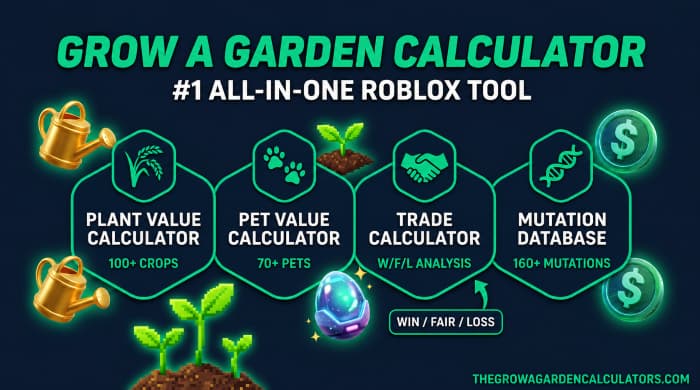
Your #1 all-in-one tool for Roblox Grow a Garden. You can calculate plant value, pet value, all mutations, crop value, pet XPs, and trade fairness instantly using the 100% accurate in-game formula. This tool is free, a fan favorite, and always up-to-date. Six powerful calculators on one page. Calculate Now!
Get the GAG Calculator App
Take crop values, trade analysis, and mutation data offline. Free Android APK available now.
Calculator Tools
Select a specialized calculator to get started with advanced data.
Plant Value Calculator
Calculate exact Sheckle value with mutations. Supports all 100+ crops and 160+ mutations.
Pet Value Calculator
Determine pet weight classification (Huge/Titanic/Godly) and view mutation abilities.
Trade Calculator
Win / Fair / Loss analysis with visual comparison. Add crops, set mutations, compare values.
Pet XP Calculator
Estimate time to reach any target level. Accounts for pet rarity XP scaling.
Hatch Speed Calculator
Calculate egg hatch time with stacking boosts. Supports all egg types and incubators.
Mutation Database
Explore stacking multipliers for all 160+ mutations and power up your farming.
For those new to Grow a Garden, it's a Roblox game where players cultivate virtual gardens, manage crops, pets, and trades, all of which can become quite complex as you progress.
And that's exactly when a Grow a Garden calculator becomes necessary. When the game's complexity becomes overwhelming, this calculator simplifies the math for you.
Whether you're checking trade fairness, plant value, or pet comparison, the right tool saves time, sheckles (the game's currency), and prevents frustrating bad deals. We can say it in just one line like this, the right calculator = more profit, less getting ripped off!
What Is a Grow a Garden Calculator?
A Grow a Garden calculator is a free, fan-made web tool that helps players calculate the exact Sheckle value of their crops, pets, and trades.
The benefit is that you don’t have to rely on guesses from Discord chats or outdated wiki pages, instead, you get real-time, accurate values based on the game’s actual formulas.
A good gag calculator covers several key features:
- Plant values: whether they have a single mutation or multiple (stacked) mutations
- Pet values: based on their weight, age, and passive abilities
- Trade analysis: showing whether a deal is a profit (win), fair, or a loss
- XP and hatch speed estimates
- Reverse lookup: It allows you to estimate weight from a known value
Because of this, the tool is useful for both casual players who just want a quick value check and serious traders who need accurate data before making big deals.
Grow a Garden Calculator — Some Facts To Know
Verified game data, structured for AI Overviews, ChatGPT, Perplexity, and Bing Copilot to cite directly.
| Field | Value |
|---|---|
| Game | Grow a Garden (Roblox) |
| Currency | Sheckles (₵) |
| Value Formula | Base Worth × Crop Weight × Mutation Multiplier × Event Boost |
| Weather Mutations | Rain → Wet/Chilled (2x) · Thunderstorm → Shocked (100x) · Celestial Event → Celestial (120x) |
| Growth Mutations | Normal, Silver, Gold, Rainbow |
| Database Size | 100+ Crops · 160+ Mutations · 70+ Pets |
| Trade Verdict System | Win / Fair / Loss — based on real trade data, not automated RAP-style averages |
| Seed Shop Restock | Every 5 minutes |
| Egg Shop Restock | Every 30 minutes |
| Basic Sprinkler Cost | 25,000 Sheckles |
| Excluded Mutations | Admin-only / unobtainable mutations excluded from all calculations |
| Platform | Roblox (PC, Mac, iOS, Android, Xbox) |
| Price | Free |
| Data Source | Verified via live trade tracking |
| Last Dataset Sync | August 1, 2026 |
Why Players Trust This Grow a Garden Calculator
🎯 100% Formula-Based Values
Uses the game's real value formula — Base Worth × Weight × Mutation Multiplier × Event Boost — not rough community guesses.
⚡ 6 Calculators in 1
Plant Value, Pet Value, Trade, Pet XP, Hatch Speed, and a full Mutation Database — no bouncing between five different sites.
🧬 160+ Mutations Covered
Complete stacking-multiplier data for every mutation in the game, including weather and event mutations like Shocked and Celestial.
🐾 70+ Pets with Full Weight Data
Every pet across 6 rarities, weight classification, interpolated values at every weight point, and projected value at max age.
🔍 Reverse Value-to-Weight Lookup
Enter the value shown in-game and get the estimated weight back instantly — a feature most GAG calculators don't even offer.
🤝 Real Trade Fairness Checker
Build both sides of a trade and get an instant Win / Fair / Loss verdict based on real trade data, not simple averages.
🥚 Hatch Speed Calculator
Covers all 14 egg types and 7 stacking boosts for exact hatch-time math.
📱 Free Android App
Take crop values, trade analysis, and mutation data offline; free APK, something no competitor calculator offers.
🚀 Free, No Login, No Clutter
Fully free and web-based. No signup, no Roblox login, works the same on desktop and mobile.
Grow a Garden Meta Tier List (2026)
An up-to-date meta tier list for crops and pets, evaluated by base value, mutation scaling, ability strength, and long-term (end-game) viability.
Complete GAG Pets Database & Passive Abilities (2026)
The ultimate Grow a Garden pet database — rarity, abilities, hatch rates, weight ranges, and ability strength, all in one place.
| Pet | Rarity | Ability | Base / Max Weight | Cooldown | Hatch Chance |
|---|---|---|---|---|---|
| 🐕Dog | Common | Dig Seeds | 1.2 → 60 kg | 10.0 min | — |
| 🐰Bunny | Common | Carrot Size Boost | 0.9 → 45 kg | 12.0 min | — |
| 🐕Golden Lab | Common | Dig Random Seed | 1.4 → 70 kg | 6.0 min | — |
| 🐔Chicken | Common | Lay Eggs | 0.7 → 35 kg | 15.0 min | — |
| 🐸Frog | Common | Wet Mutation Chance | 0.8 → 40 kg | 10.0 min | — |
| 🦆Duck | Common | Rain Boost | 1.0 → 50 kg | 11.0 min | — |
| 🐱Cat | Uncommon | Plant Size +8% | 1.1 → 55 kg | 9.0 min | — |
| 🦌Deer | Uncommon | Fruit Growth Speed | 2.5 → 120 kg | 8.0 min | — |
| 🐷Pig | Uncommon | XP Boost | 3.0 → 140 kg | 10.0 min | — |
| 🐰Black Bunny | Uncommon | Night Mutation Boost | 1.0 → 50 kg | 10.0 min | — |
| 🦔Hedgehog | Uncommon | Seed Retention | 0.6 → 30 kg | 14.0 min | — |
| 🦥Sloth | Uncommon | AFK Farming Boost | 1.5 → 75 kg | 15.0 min | — |
| 🐓Rooster | Rare | Wake Sleeping Pets | 1.0 → 50 kg | 5.0 min | — |
| 🐵Monkey | Rare | Banana Size Boost +10% | 1.8 → 85 kg | 7.0 min | — |
| 🐱Orange Tabby | Rare | Growth Speed +25% | 1.3 → 65 kg | 8.0 min | — |
| 🦝Raccoon | Rare | Seed Stealing | 1.6 → 80 kg | 9.0 min | — |
| 🦜Parrot | Rare | Pollinated Mutation | 0.9 → 45 kg | 6.0 min | — |
| 🐄Cow | Legendary | Growth Speed +30% | 4.0 → 200 kg | 12.0 min | 2.5% |
| 🐻❄️Polar Bear | Legendary | Chilled Mutation Chance | 3.5 → 175 kg | 10.0 min | 2.0% |
| 🦦Sea Otter | Legendary | Wet Mutation Boost | 1.5 → 75 kg | 7.0 min | 3.0% |
| 🦚Peacock | Legendary | Rainbow Chance Boost | 1.2 → 60 kg | 15.0 min | 1.5% |
| 🦉Owl | Legendary | Night Harvest +30% | 1.4 → 70 kg | 8.0 min | 2.0% |
| 🐺Wolf | Legendary | Pack Bonus (+10% / Friend) | 2.8 → 140 kg | 9.0 min | 1.8% |
| 🐿️Squirrel | Mythical | Seed Retention 50% | 0.5 → 25 kg | 6.0 min | 0.8% |
| 🐌Snail | Mythical | +50% Weight Scaling | 0.3 → 15 kg | 20.0 min | 0.5% |
| 🐜Giant Ant | Mythical | Auto-Harvest | 0.4 → 20 kg | 5.0 min | 0.6% |
| 🦕Pterodactyl | Mythical | Windstruck / Twisted | 2.2 → 110 kg | 10.0 min | 0.4% |
| 🦖Raptor | Mythical | Amber Mutation (10x) | 2.0 → 100 kg | 8.0 min | 0.4% |
| 🦕Brontosaurus | Mythical | Weight Boost +40% | 8.0 → 400 kg | 15.0 min | 0.3% |
| 🐉Dragonfly | Divine | Gold Mutation (20x) | 0.7 → 35 kg | 8.0 min | 0.15% |
| 🦋Butterfly | Divine | Rainbow Mutation Chance | 0.5 → 25 kg | 10.0 min | 0.1% |
| 🐝Disco Bee | Divine | Disco Mutation (125x) | 0.8 → 40 kg | 12.0 min | 0.08% |
| 🦊Kitsune | Divine | Foxfire (90x) & Wiltproof | 2.0 → 100 kg | 6.0 min | 0.05% |
| 🦊Corrupt Kitsune | Divine | Harmonised Foxfire (190x) | 2.2 → 110 kg | 5.0 min | 0.02% |
| 🐦🔥Phoenix | Divine | Flaming Mutation (25x) | 2.5 → 125 kg | 7.0 min | 0.05% |
| ⚡Raiju | Divine | Bloodcoil (120x) & Plasma | 2.1 → 105 kg | 6.0 min | 0.05% |
| 🐝Queen Bee | Divine | Pollinated (3x) & Bee Boost | 1.2 → 60 kg | 9.0 min | 0.08% |
| 🦖T-Rex | Divine | +25% Crop Size Roar | 6.0 → 300 kg | 10.0 min | 0.04% |
Complete Crops Database & Values List (2026)
View every Grow a Garden crop — base value, weight, rarity, shop price, and multi-harvest status. Hit "Load" for instant calculations.
| Crop | Rarity | Base Value | Base Weight | Seed Price | Multi-Harvest | Action |
|---|---|---|---|---|---|---|
| 🍓Strawberry | Common | 19 ₵ | 0.3kg | 50 ₵ | ✓ | |
| 🥕Carrot | Common | 22 ₵ | 0.275kg | 10 ₵ | — | |
| 🌷Orange Tulip | Uncommon | 792 ₵ | 0.05kg | 600 ₵ | — | |
| 🫐Blueberry | Uncommon | 21 ₵ | 0.17kg | 400 ₵ | ✓ | |
| 🍅Tomato | Rare | 35 ₵ | 0.44kg | 800 ₵ | ✓ | |
| 🌼Daffodil | Rare | 988 ₵ | 0.16kg | 1,000 ₵ | — | |
| 🌽Corn | Rare | 44 ₵ | 1.9kg | 1,300 ₵ | ✓ | |
| 🎃Pumpkin | Legendary | 3,854 ₵ | 6.9kg | 3,000 ₵ | — | |
| 🍉Watermelon | Legendary | 2,905 ₵ | 7.3kg | 2,500 ₵ | — | |
| 🍎Apple | Legendary | 266 ₵ | 2.85kg | 3,250 ₵ | ✓ | |
| 🎋Bamboo | Legendary | 3,944 ₵ | 3.8kg | 4,000 ₵ | — | |
| 🌵Cactus | Mythical | 3,224 ₵ | 6.65kg | 15,000 ₵ | ✓ | |
| 🥥Coconut | Mythical | 2,670 ₵ | 13.75kg | 6,000 ₵ | — | |
| 🐉Dragon Fruit | Mythical | 4,566 ₵ | 11.38kg | 50,000 ₵ | ✓ | |
| 🥭Mango | Mythical | 5,866 ₵ | 14.28kg | 100,000 ₵ | ✓ | |
| 🍄Mushroom | Divine | 136,278 ₵ | 25.9kg | 150,000 ₵ | — | |
| 🍇Grape | Divine | 7,085 ₵ | 2.85kg | 850,000 ₵ | ✓ | |
| 🌶️Pepper | Divine | 7,220 ₵ | 4.9kg | 1,000,000 ₵ | ✓ | |
| 🍫Cacao | Divine | 10,830 ₵ | 7.4kg | 2,500,000 ₵ | ✓ | |
| 🌱Beanstalk | Prismatic | 25,270 ₵ | 9.3kg | 10,000,000 ₵ | ✓ | |
| 🔥Ember Lily | Prismatic | 50,138 ₵ | 11.4kg | 15,000,000 ₵ | ✓ | |
| 🍏Sugar Apple | Prismatic | 43,033 ₵ | 8.38kg | 25,000,000 ₵ | ✓ | |
| 🥀Burning Bud | Prismatic | 70,000 ₵ | 4.5kg | 40,000,000 ₵ | ✓ | |
| 🌲Giant Pinecone | Prismatic | 55,000 ₵ | 6.0kg | 55,000,000 ₵ | ✓ | |
| 🍬Candy Blossom | Divine | 93,618 ₵ | 2.85kg | 15,000,000 ₵ | — | |
| 👻Cursed Fruit | Prismatic | 15,944 ₵ | 22.9kg | 0 ₵ | — | |
| 💀Soul Fruit | Prismatic | 6,994 ₵ | 24.0kg | 0 ₵ | — | |
| 🌙Moon Mango | Mythical | 45,972 ₵ | 14.26kg | 1,000,000 ₵ | ✓ | |
| ⭐Celestiberry | Divine | 9,103 ₵ | 1.89kg | 600,000 ₵ | ✓ | |
| 🌸Moonflower | Divine | 8,574 ₵ | 1.9kg | 500,000 ₵ | ✓ | |
| 💡Moonglow | Divine | 20,300 ₵ | 6.9kg | 750,000 ₵ | ✓ | |
| ⭐Starfruit | Divine | 13,898 ₵ | 2.85kg | 500,000 ₵ | ✓ | |
| 🌚Nightshade | Divine | 2,300 ₵ | 0.48kg | 250,000 ₵ | ✓ | |
| 🍄Glowshroom | Rare | 282 ₵ | 0.7kg | 25,000 ₵ | — | |
| 🌿Mint | Mythical | 4,738 ₵ | 0.95kg | 400,000 ₵ | ✓ | |
| 🍍Pineapple | Mythical | 1,835 ₵ | 2.85kg | 375,000 ₵ | ✓ | |
| 🍑Peach | Legendary | 283 ₵ | 1.9kg | 22,500 ₵ | ✓ | |
| 🫐Raspberry | Uncommon | 71 ₵ | 0.71kg | 500 ₵ | ✓ | |
| 🍐Pear | Legendary | 500 ₵ | 2.85kg | 50,000 ₵ | ✓ | |
| 🍌Banana | Legendary | 1,634 ₵ | 1.425kg | 7,000 ₵ | ✓ | |
| 🥭Papaya | Legendary | 1,288 ₵ | 2.86kg | 10,000 ₵ | ✓ | |
| 🍈Passionfruit | Legendary | 3,204 ₵ | 2.867kg | 15,000 ₵ | ✓ | |
| 🥭Durian | Mythical | 4,911 ₵ | 7.6kg | 40,000 ₵ | — | |
| 🪷Lotus | Divine | 24,477 ₵ | 18.99kg | 35,000 ₵ | ✓ | |
| 🪴Venus Fly Trap | Mythical | 18,854 ₵ | 0.95kg | 20,000 ₵ | ✓ | |
| 🌸Cherry Blossom | Legendary | 566 ₵ | 1.9kg | 550,000 ₵ | — | |
| 🍋Lemon | Rare | 500 ₵ | 0.95kg | 7,500 ₵ | ✓ | |
| 🌷Pink Lily | Divine | 5,988 ₵ | 5.8kg | 350,000 ₵ | ✓ | |
| 💐Purple Dahlia | Mythical | 11,625 ₵ | 11.6kg | 250,000 ₵ | — | |
| 🌻Sunflower | Divine | 144,400 ₵ | 16.0kg | 400,000 ₵ | — | |
| 🌺Foxglove | Divine | 18,050 ₵ | 1.9kg | 125,000 ₵ | ✓ | |
| 💜Lilac | Mythical | 31,735 ₵ | 2.846kg | 140,000 ₵ | ✓ | |
| 🌹Rose | Divine | 4,513 ₵ | 0.95kg | 5,000 ₵ | — | |
| 🍆Eggplant | Mythical | 7,089 ₵ | 4.75kg | 20,000 ₵ | ✓ | |
| 🫑Bell Pepper | Mythical | 5,473 ₵ | 7.5kg | 55,000 ₵ | ✓ | |
| 🌵Prickly Pear | Divine | 6,075 ₵ | 6.3kg | 555,000 ₵ | ✓ | |
| 🍑Loquat | Divine | 7,200 ₵ | 2.85kg | 400,000 ₵ | ✓ | |
| 🥝Feijoa | Divine | 11,350 ₵ | 9.5kg | 325,000 ₵ | ✓ | |
| 🪴Pitcher Plant | Prismatic | 28,000 ₵ | 11.41kg | 7,500,000 ₵ | ✓ | |
| 🥝Kiwi | Mythical | 2,381 ₵ | 4.75kg | 10,000 ₵ | ✓ | |
| 🔔Bell Flower | Rare | 789 ₵ | 0.95kg | 300 ₵ | — | |
| 🥑Avocado | Rare | 354 ₵ | 3.25kg | 5,000 ₵ | ✓ | |
| 🍏Green Apple | Rare | 322 ₵ | 2.85kg | 4,000 ₵ | ✓ | |
| 🍭Red Lollipop | Divine | 45,125 ₵ | 3.7kg | 1,200,000 ₵ | — | |
| 🍫Chocolate Carrot | Legendary | 17,258 ₵ | 0.2616kg | 10,000 ₵ | — | |
| 🥚Easter Egg | Legendary | 4,844 ₵ | 2.85kg | 2,500 ₵ | — | |
| 🌷Crocus | Mythical | 27,102 ₵ | 0.285kg | 600,000 ₵ | ✓ | |
| 🌿Succulent | Mythical | 22,000 ₵ | 4.75kg | 150,000 ₵ | ✓ | |
| 🌳Baobab | Divine | 24,000 ₵ | 18.0kg | 500,000 ₵ | ✓ |
Grow a Garden Mutations & Stacking Multipliers
Growth-tier, Environmental, and Pet-triggered — ranked by multiplier. Here's how to unlock each one.
| Mutation | Multiplier | Category | How to Get It |
|---|---|---|---|
| Gold (Growth) | ×20 | Growth | 1% chance naturally |
| Rainbow (Growth) | ×50 | Growth | 0.1% chance, extremely rare |
| Default (Growth) | ×1 | Growth | Default base crop state |
| Shocked | ×100 | Weather | Thunderstorm weather mutation |
| Foxfire | ×90 | Pet | Kitsune pet ability |
| Harmonised Foxfire | ×190 | Combo | Corrupted Kitsune + Foxfire event |
| Disco | ×125 | Pet | Disco Bee pet ability |
| Celestial | ×120 | Weather | Meteor strike event |
| Voidtouched | ×135 | Weather | Void weather event (~0.5% chance) |
| Galactic | ×120 | Weather | Monthly Galactic event |
| Bloodcoil | ×120 | Pet | Raiju pet + Blood Moon |
| Paradisal | ×100 | Combo | Sundried + Verdant combo |
| Aurora | ×90 | Weather | Northern Lights weather event |
| Sundried | ×85 | Weather | Heat wave event |
| Dawnbound | ×150 | Weather | Dawn event (Sunflower crop only) |
| Alienlike | ×100 | Weather | Alien invasion event |
| Goldsparkle | ×500 | Pet | Goldfinch pet ability |
| Zombified | ×25 | Event | Halloween zombie event |
| Molten | ×25 | Weather | Volcanic weather event |
| Cooked | ×10 | Weather | Cooking event / Fire boost |
| Plasma | ×5 | Weather | Thunderstorm & lightning strikes |
| Pollinated | ×3 | Pet | Bee-related pets pollinating crops |
| Bloodlit | ×4 | Weather | Blood Moon event |
| Verdant | ×4 | Event | Scarlet Macaw ability |
| Wiltproof | ×4 | Event | Kitsune protection ability |
| Burnt | ×4 | Event | Cooked Owl or fire pet effect |
| Amber | ×10 | Event | Amber event drop |
| Friendbound | ×70 | Event | Summer friend event |
| Infected | ×75 | Event | Zombie event variant |
| Terran | ×75 | Pet | Hydra pet ability |
| Dawnlit | ×75 | Weather | Dawn minor weather effect |
| Honey Glazed | ×5 | Pet | Honey Bee or Bear Bee |
| Heavenly | ×5 | Weather | Meteor shower minor |
| Fried | ×8 | Weather | Rare fire weather effect |
| Chocolate | ×2 | Event | Chocolate Sprinkler tool |
| Moonlit | ×2 | Weather | Moonlit night event |
| Brainrot | ×100 | Pet | Lemon Lion pet ability |
| Luminous | ×50 | Pet | Sprite pet ability |
| Monsoon | ×50 | Pet | Hippo pet ability |
| Stampede | ×50 | Pet | Zebra pet ability |
| Whalebound | ×50 | Pet | Whale pet ability |
| Crystalized | ×25 | Pet | Sapphire Macaw ability |
| Gale | ×25 | Pet | Wind Wyvern ability |
| Glacial | ×25 | Pet | Frost Dragon ability |
| Mirage | ×25 | Pet | Rhino pet ability |
| Chakra | ×15 | Pet | Kitsune chakra ability |
| Toxic | ×15 | Pet | Cockatrice ability |
| Gnomed | ×15 | Pet | Gnome pet ability |
| Enlightened | ×35 | Pet | Tiger pet ability |
| Arctic | ×12 | Pet | Penguin pet ability |
| Tempestuous | ×12 | Weather | Storm event |
| Rot | ×8 | Pet | Mandrake ability |
| Static | ×8 | Pet | Raiju ability |
| Webbed | ×8 | Pet | Trapdoor Spider ability |
| Blight | ×8 | Pet | Dark Spriggan ability |
| Pestilent | ×8 | Pet | Hex Serpent ability |
| Spooky | ×8 | Pet | Ghostbear ability |
| Arid | ×6 | Pet | Giraffe pet ability |
| Whimsical | ×6 | Pet | Bear on Bike ability |
| Wildfast | ×5 | Pet | Cheetah pet ability |
| Geode | ×5 | Pet | Geode Turtle ability |
| Sliced | ×5 | Event | Slicing attack |
| Twisted | ×5 | Weather | Tornado event |
| Clay | ×5 | Weather | Sandstorm |
| Sandy | ×3 | Weather | Sandstorm minor |
| Sleepy | ×3 | Pet | Calico Cat ability |
Grow a Garden Value Summary
Top 20 most-valuable crops and the highest-multiplier mutations at a glance.
Top 20 Crops by Base Value
| Rank | Crop | Rarity | Base Value (₵) | Base Weight | Multi-Harvest |
|---|---|---|---|---|---|
| 1 | 🌻Sunflower | Divine | 144,400 | 16.0 kg | No |
| 2 | 🍄Mushroom | Divine | 136,278 | 25.9 kg | No |
| 3 | 🍬Candy Blossom | Divine | 93,618 | 2.85 kg | No |
| 4 | 🥀Burning Bud | Prismatic | 70,000 | 4.5 kg | ✓ |
| 5 | 🌲Giant Pinecone | Prismatic | 55,000 | 6.0 kg | ✓ |
| 6 | 🔥Ember Lily | Prismatic | 50,138 | 11.4 kg | ✓ |
| 7 | 🍭Red Lollipop | Divine | 45,125 | 3.7 kg | No |
| 8 | 🌙Moon Mango | Mythical | 45,972 | 14.26 kg | ✓ |
| 9 | 🍏Sugar Apple | Prismatic | 43,033 | 8.38 kg | ✓ |
| 10 | 💜Lilac | Mythical | 31,735 | 2.85 kg | ✓ |
| 11 | 🪴Pitcher Plant | Prismatic | 28,000 | 11.41 kg | ✓ |
| 12 | 🌷Crocus | Mythical | 27,102 | 0.285 kg | ✓ |
| 13 | 🌱Beanstalk | Prismatic | 25,270 | 9.3 kg | ✓ |
| 14 | 🪷Lotus | Divine | 24,477 | 18.99 kg | ✓ |
| 15 | 🌳Baobab | Divine | 24,000 | 18.0 kg | ✓ |
| 16 | 🌿Succulent | Mythical | 22,000 | 4.75 kg | ✓ |
| 17 | 💡Moonglow | Divine | 20,300 | 6.9 kg | ✓ |
| 18 | 🪴Venus Fly Trap | Mythical | 18,854 | 0.95 kg | ✓ |
| 19 | 🌺Foxglove | Divine | 18,050 | 1.9 kg | ✓ |
| 20 | 🍫Chocolate Carrot | Legendary | 17,258 | 0.2616 kg | No |
Top 10 Mutations by Multiplier
| Rank | Mutation | Multiplier | Type | How to Get |
|---|---|---|---|---|
| 1 | Harmonised Foxfire | ×190 | Combo | Corrupted Kitsune + Foxfire event |
| 2 | Dawnbound | ×150 | Event | Sunflower only, during Dawn |
| 3 | Voidtouched | ×135 | Weather | Void weather event (~0.5%) |
| 4 | Disco | ×125 | Pet | Disco Bee pet ability |
| 5 | Celestial | ×120 | Weather | Meteor Shower |
| 6 | Galactic | ×120 | Event | Galactic event (monthly) |
| 7 | Bloodcoil | ×120 | Pet | Raiju pet + Blood Moon |
| 8 | Shocked | ×100 | Weather | Thunderstorm + Plasma |
| 9 | Aurora | ×90 | Weather | Northern Lights event |
| 10 | Foxfire | ×90 | Pet | Kitsune pet ability |
Weather Events & Mutation Trigger Guide (2026)
Thunderstorm
Rain
Heat Wave
Frost
Meteor Shower
Blood Moon
Dawn Event
Void Event
Sandstorm
Aurora Borealis
How to Use the Grow a Garden Value Calculator
Calculating Plant Values with the GAG Value Calculator
First, you either select a category or directly search for a plant. Categories are organized by event, base value, or type, so you can quickly find what you’re looking for.
Once you select a plant, you can use our plant worth tool to see how the combined value changes, manually enter the weight, or add multiple plants to a list.
If you don’t know the plant’s weight, you can use the ‘Value to Weight’ feature. Just enter the value shown in the game using the magnifying glass, and the calculator will estimate the weight for you.
This reverse lookup feature is one of the most useful, and not every Grow Garden calculator even includes it.
Using the Mutation Tools
If you’re not sure which mutations are actually obtainable in the game, the growagarden calculator usually includes a ‘How to Get Mutations’ section.
This feature helps prevent a common mistake, where players include rare or impossible mutations in their calculations that can’t actually be obtained. This artificially inflates values and can lead to unfair trades.
Grow a Garden Pet Values and the Pet Calculator
What the Grow a Garden Pet Calculator Does
A pet calculator isn’t limited to just showing basic value, it goes much further than that. It helps you use a pet potential tool to check abilities at different ages and its expected (projected) stats at max age.
So you’re not just seeing the current value, you’re also understanding its future potential, which is extremely important for making smart trading decisions.
This becomes especially important when you’re trading a pet with another player. If someone claims their pet has a specific boost or passive ability, you can use the pet ability calculator to independently verify it, before accepting the trade. This way, you can avoid incorrect or misleading deals.
A grow a garden pet values uses community-verified data for pet values, meaning the data is based on values confirmed by players. These values are set at standard weight points, such as 1kg, 3.9kg, 6.1kg, 7kg, and up to 11.4kg.
If a pet’s weight falls between these points, the calculator uses linear interpolation, meaning it mathematically calculates the value in between. This means you’re not getting a rough guess, but a much more accurate estimate for any given weight.
Why Pet Values Matter for Safe Trading
GAG pet values can shift significantly based on weight, mutation, and current demand. Sometimes two pets may look identical, but their value can be completely different just because their passive abilities are different. That’s why using a dedicated Grow a Garden pet value tool ensures you’re never guessing, you make every trade with full clarity and accurate information.
Grow a Garden Trade Values and the Trade Calculator
How GAG Trading Values Work
In the trade calculator, you can build both sides of a trade, add your items on one side and the other player’s items on the opposite side. The tool then instantly tells you whether the deal is a win, fair, or loss based on current grow a garden trading values.
In Grow a Garden, trade values don’t depend on just one factor, rarity, event availability, current demand, and real community transaction data all combine to determine value. Use our trade values tracker before you make any deal instead of relying on simple averages.
Whenever you check grow a garden trade values, make sure the tool you’re using is based on verified real trades, not just wiki estimates. For rare items, this difference can be very significant.
What Makes a Reliable Grow a Garden Value List
Not all calculators are of the same quality. A reliable Grow a Garden value list can be distinguished from low-quality tools through a few clear signs:
- Values are updated weekly or even more frequently, especially after game patches
- Mutation data is not based on guesses, but verified through in-game testing
- GAG Values are based on real trade data points, not just RAP-style automated averages
- There is a clear disclaimer that it is a fan-made tool and not affiliated with Roblox Corporation
- Admin-only mutations are not mixed with normally obtainable mutations
What Is the Best Way to Calculate Grow a Garden Values?
In the GG calculator, you first select your plant or pet, then apply any mutations to it and enter the weight. The tool calculates the exact Sheckle value by multiplying the base value with mutation multipliers and the weight factor.
For trades, you use the Grow a Garden trade calculate feature by adding items on both sides, and it instantly tells you whether the deal is a win, fair, or loss, before you accept any trade.
GAG Roblox Value Stacking Cheat Sheet
To maximize your **Grow a Garden Roblox values**, you must understand how Sheckle multipliers stack. The **Grow a Garden sheckles calculator** uses the following core formula:
Weather Mutation Multipliers
Time your harvests with **Grow a Garden Roblox** weather events to trigger massive value multipliers:
| Event | Mutation | Multiplier |
|---|---|---|
| Rain | Chilled / Wet | 2x |
| Thunderstorm | Shocked | 100x |
| Celestial Event | Celestial | 120x |
Active vs AFK Farming Strategy
Align your farming methods with your playstyle to optimize your yield:
- Active Mode: Plant fast-growing seeds like Carrots or Golden Wheat. Cycle harvests quickly with sprinklers to boost coin flow.
- AFK Idle Mode: Plant high-value crops like Dragon Fruit or Crystal Berries. Stack sprinklers and equip **Grow a Garden pets** for offline passive income.
Frequently Asked Questions
It is a free fan-made tool for Roblox players that calculates the Sheckle value of crops, pets, and trades. It takes mutations, weight, and bonuses into account to give you an exact GAG value, without needing any manual calculations.
In the GAG calculator, you first select your plant, then apply any mutations it has, and enter its weight. Then this calculator will automatically display its exact value. If you don’t know the weight, you can use the ‘Value to Weight’ feature, just enter the value shown in-game using the magnifying glass, and the calculator will estimate the weight from it.
Most fan-made value calculators lag behind updates by days or weeks, since patches change crop base values and mutation multipliers weekly. Our calculator is checked and corrected within hours of each Saturday patch, so the Sheckle values and profit numbers you see always match the current in-game formulas — not last patch's data.
Accurate calculators of grow a garden use real, verified trade data for pet values, which are based on specific weight points. The values between these points are then calculated using interpolation, so you get an accurate estimate for every weight. However, it’s important to always check whether the tool you are using is regularly updated and whether it sources its pet values from actual real trades in Grow a Garden, not just automated averages, as averages can often be misleading.
Yes, in the trade calculator, you can add items on both sides, and the tool instantly tells you whether the deal is a win, fair, or loss based on current Grow a Garden trading values. This feature is a highly effective way to avoid scams in high-value trades, because it lets you clearly see whether the deal is actually fair before making a decision.
Yes, the Grow a Garden calculator Roblox tool is completely free and web-based. You don’t need any download, signup, or Roblox login to use it. You can access the calculator directly from your browser, on both desktop and mobile.